
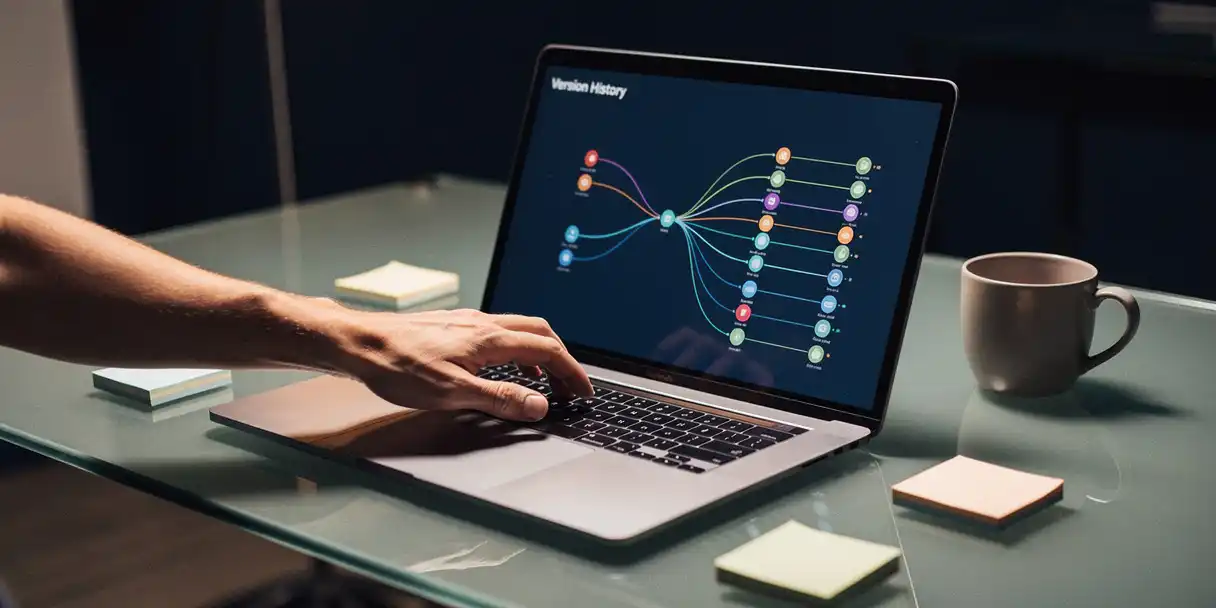
Managing a Qlik Sense environment means keeping up with constant change. Scripts get updated, sheets get redesigned, data connections shift, and multiple developers may be working on the same app at the same time. Without a reliable way to track those changes, teams end up guessing what was modified, when, and by whom—and that guesswork creates real risk in production.
This article walks through the key questions around tracking changes in Qlik Sense: why it matters, what kinds of changes you need to watch for, and how to build a practical approach to Qlik Sense change management that keeps your BI environment stable, auditable, and under control.
Why is tracking changes in Qlik Sense important?
Tracking changes in Qlik Sense is important because, without visibility into what has changed between versions, testers cannot focus their work, developers risk overwriting each other’s updates, and errors are far more likely to reach production. Change tracking gives your team the information they need to develop faster, test smarter, and deploy with confidence.
In a typical Qlik Sense environment, multiple developers may be working on apps simultaneously. Without change tracking, there is no way to know who modified what, which means testers have to retest entire applications rather than focusing on what actually changed. This wastes time and increases the chance that a real problem slips through undetected.
Beyond efficiency, change tracking also plays a direct role in quality. When testers can see exactly which sheets, visuals, or scripts were updated, they can run targeted tests instead of broad regression checks. The result is faster release cycles and fewer production incidents—both of which matter significantly to BI teams that are already stretched for time and resources.
What types of changes can occur in a Qlik Sense environment?
Changes in a Qlik Sense environment span several layers of an application. The most common types include modifications to the load script, changes to sheets and visualizations, updates to data connections, and changes to the extensions an app depends on. Each type of change carries its own testing implications and risk profile.
Here is a breakdown of the main change categories to track:
- Script changes: Modifications to the data load script affect how data is retrieved, transformed, and structured. Even a small script change can have downstream effects on calculations and visualizations.
- Sheet and visual changes: Developers frequently add, remove, or redesign sheets and charts. These changes affect what business users see and how they interact with the app.
- Data connection changes: Updating a connection string or switching a data source can break an app entirely if not managed carefully.
- Extension changes: Apps that rely on third-party or custom extensions are vulnerable when an extension version changes. If the wrong version reaches production, visualizations can fail to render.
- Reload task changes: Modifications to scheduled reload tasks affect data freshness and can cause silent failures if not tracked.
Understanding which types of changes are present in a given update helps teams prioritize testing and reduces the risk of unexpected failures after deployment.
Does Qlik Sense have built-in version control?
Qlik Sense does not have built-in version control in the traditional software development sense. There is no native mechanism to compare two versions of an app, restore a previous state, or track which developer made which change. This is one of the most frequently cited limitations for teams managing Qlik Sense at scale.
Qlik Sense allows you to duplicate apps and manage them across spaces in Qlik Cloud, but this is not version control. Duplication does not give you a history of changes, does not show you what is different between two versions, and does not prevent developers from overwriting each other’s work.
For teams working in regulated industries or managing complex, multi-developer environments, this gap is particularly problematic. Compliance requirements like HIPAA or Sarbanes-Oxley often demand a documented audit trail of changes to data-related systems. Without version control built into the platform, organizations need to look beyond Qlik Sense itself for a structured Qlik Sense application lifecycle management approach.
How can you track and manage changes in Qlik Sense?
You can track and manage changes in Qlik Sense by implementing an Application Lifecycle Management solution that adds version control, difference analysis, and governed deployment on top of your existing Qlik environment. The core steps involve checking apps in and out, comparing versions to identify what changed, and controlling which version gets promoted to production.
A practical Qlik Sense change management workflow typically looks like this:
- Check out the app before making any changes. This locks the app so only one developer works on it at a time, preventing conflicting edits.
- Make and save your changes in development, whether that involves the script, sheets, visuals, or connections.
- Run a difference analysis to compare the updated version against the previous one. This surfaces exactly what changed so testers know where to focus.
- Test only the changed components rather than the entire application. This saves significant time without reducing quality.
- Approve and promote the app through a governed deployment process that ensures only reviewed updates reach production.
For teams using multi-developer workflows, a more advanced approach allows multiple developers to check out the same app simultaneously. Each developer works on a separate part—one handles script changes while another updates visuals—and changes are synchronized when each developer checks back in. This eliminates merge conflicts and keeps delivery timelines on track even under pressure.
What tools support change tracking for Qlik Sense?
The most effective tools for Qlik Sense change tracking are dedicated ALM platforms that integrate directly with Qlik Sense and Qlik Cloud. These tools go beyond simple file backups by providing version history, visual difference comparisons, deployment automation, and data lineage—all within a governed workflow.
Version control and difference analysis
A version control tool for Qlik Sense stores every version of an app and allows you to compare any two versions side by side. A good difference analysis surfaces changes in the script, sheets, visuals, data connections, and extension usage. This gives testers a clear picture of what needs to be validated before an app moves forward in the pipeline.
Data lineage tools
Data lineage tools show you which QVD files each app depends on, which apps are loading from which sources, and where dependencies exist between QlikView and Qlik Sense apps. When a data source changes, lineage visibility helps you understand the full impact before you make a move—which apps will be affected, which reload tasks might break, and whether all dependencies exist in the destination environment.
Deployment and governance tools
Deployment tools automate the process of moving apps from development to test to production. The best ones enforce approval workflows, automatically update data connections during promotion, and support both single-tenant and multi-tenant Qlik Cloud environments. This removes the manual steps that typically introduce errors during Qlik Sense deployment.
How does change tracking help with Qlik Sense compliance and governance?
Change tracking supports Qlik Sense compliance and governance by creating a documented, auditable history of every modification made to an application. For organizations subject to regulations like HIPAA or Sarbanes-Oxley, this audit trail demonstrates that changes were reviewed, approved, and deployed through a controlled process—which is often a formal requirement.
Governance in a Qlik Sense environment means more than just knowing who changed what. It means enforcing rules about what can reach production. A governed deployment process ensures that only approved apps are published, that mandatory review tasks are completed before promotion, and that the production environment remains stable and consistent. Without this structure, a single unapproved change can introduce errors that affect business users across the organization.
Change tracking also supports release management, which groups related apps together so they are always promoted and restored as a unit. If something goes wrong in production, you can restore the entire release to its previous state in just a few clicks rather than hunting down individual app versions and hoping they are compatible with each other.
For BI teams in regulated industries, having this level of control is not optional. It is the foundation of a trustworthy BI environment that stakeholders can rely on.
How PlatformManager helps you track changes in Qlik Sense
We built PlatformManager specifically to address the gaps that Qlik Sense leaves open when it comes to version control, change tracking, and governed deployment. Here is what we offer directly out of the box:
- Version control for Qlik Sense, Qlik Cloud, QlikView, and SAP BusinessObjects—store every version of your apps and restore any previous state in two clicks
- Difference analysis—compare any two versions to see exactly what changed in the script, sheets, visuals, connections, and extensions
- Multi-developer support—allow multiple developers to work on the same app simultaneously without merge conflicts
- Data lineage—understand which QVDs, Excel files, and text files your apps depend on, and what the impact of a change will be
- Governed deployment with approval workflows—enforce review and approval before any app reaches production
- Qlik Cloud migration support—move from on-premises to the cloud with automated connection updates and hybrid environment support
- Release management—group related apps together and keep your production environment consistent
More than 320 companies already rely on PlatformManager to manage their Qlik Sense application lifecycle. If you want to see how much time your team could save, start a free three-day trial with full access to a cloud server and a demo collection of apps and data. No commitment required—just a clear look at what structured change management can do for your BI team.