
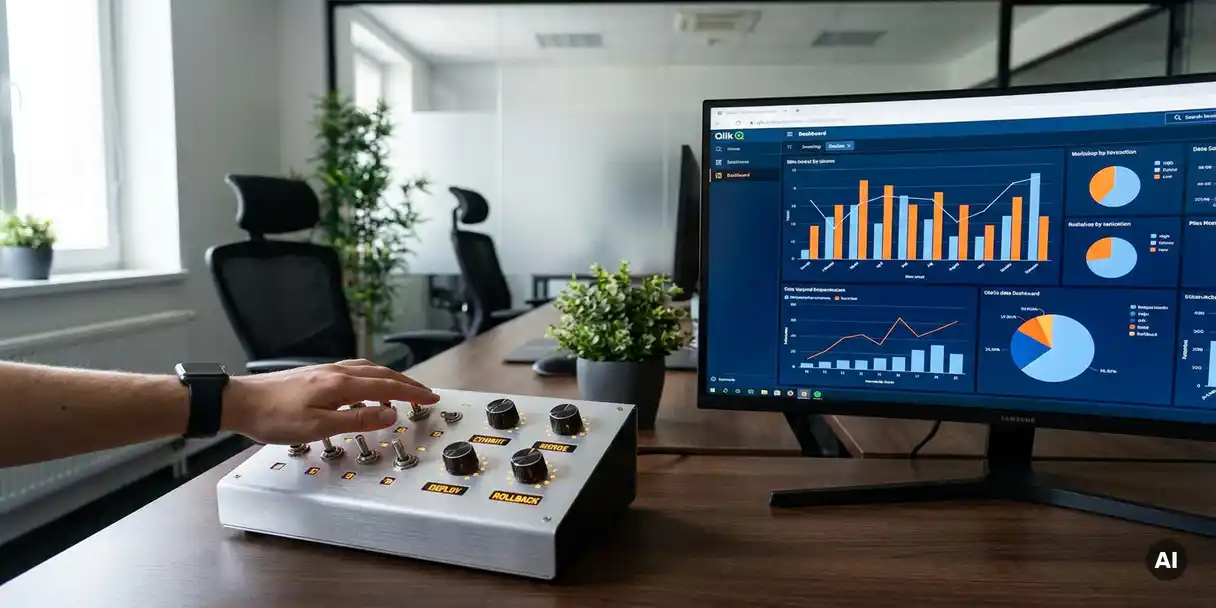
You control changes in Qlik Sense by establishing a structured process that governs how apps move from development to production, with version tracking, approval steps, and automated deployment at its core. Without this structure, changes happen informally, creating risk, inconsistency, and compliance exposure. The sections below unpack each dimension of effective Qlik Sense change control, from the challenges involved to the tools and timing that make it work.
Why is change control difficult in Qlik Sense environments?
Change control is difficult in Qlik Sense environments because the platform makes it easy to edit and publish apps directly, without any enforced review or approval process. This flexibility is powerful for individual developers but creates serious coordination problems at scale. When multiple people work across development, test, and production streams without a formal handoff process, changes can conflict, overwrite each other, or go live before they are ready.
The challenge deepens in larger organizations where BI teams serve many business users across departments. A developer fixing a calculation error in one stream may unknowingly affect a dashboard another team depends on. Without visibility into who changed what, when, and why, tracking down the source of a problem becomes a time-consuming guessing game. Add regulatory requirements into the mix, such as those faced by healthcare or financial organizations, and the absence of a controlled process becomes a genuine compliance risk.
What does a controlled change process in Qlik Sense look like?
A controlled change process in Qlik Sense moves apps through clearly defined stages, typically development, testing, and production, with documented approvals required before any app advances. Each stage has a purpose: development is for building and iterating, testing is for validating accuracy and performance, and production is the environment business users depend on. No app should skip a stage or bypass an approval step.
In practice, this means that when a developer updates a Qlik Sense app, that change does not go live automatically. Instead, it enters a review workflow where a tester or manager can verify that the change is correct and complete. Only after approval does the updated version move forward. This structured handoff creates accountability, reduces the chance of errors reaching end users, and provides an auditable record of every decision made along the way.
For organizations operating under compliance frameworks, this audit trail is not optional: it is a core requirement. But even for teams without regulatory obligations, a controlled process simply produces better outcomes: fewer surprises, faster troubleshooting, and greater confidence in the data users see.
How does version control work for Qlik Sense apps?
Version control for Qlik Sense apps works by saving a snapshot of each app at defined points in its lifecycle, allowing teams to track changes over time, compare versions, and restore a previous state if something goes wrong. Unlike file-based version control tools designed for code, Qlik Sense app version control must account for the full app object, including data models, expressions, sheets, and master items. Teams managing multiple BI platforms may also benefit from Power BI version control capabilities that follow the same structured approach.
Effective version control gives every app a clear history: who made a change, what was changed, and when it happened. This history serves two important functions. First, it supports focused testing: testers can see exactly what changed between versions and concentrate their review on those specific areas rather than re-testing everything from scratch. Second, it provides a safety net. If a new version introduces an unexpected problem, teams can roll back to a known-good version quickly without losing work or disrupting users.
Version control also supports data lineage, the ability to trace how changes to an app affect the data and insights it produces. When a team understands the downstream impact of a modification before it goes live, they can make more informed decisions and avoid unintended consequences.
What are the risks of managing Qlik Sense changes manually?
Managing Qlik Sense changes manually introduces significant risks: apps can be deployed with unreviewed errors, there is no reliable audit trail, and the chance of overwriting a colleague’s work increases with every team member involved. Manual processes depend entirely on individuals following agreed conventions consistently, and in practice, that consistency breaks down under time pressure or when team members change.
The most immediate risk is quality. Without enforced testing and approval steps, errors in calculations, filters, or data connections can reach production and mislead business users. The downstream effect of a flawed dashboard can range from a poor decision to a compliance violation, depending on the context.
There are also operational risks. Manual deployments are slower and more error-prone than automated ones. A developer copying an app between environments by hand may miss a dependency, apply the wrong version, or forget to update a data connection. Each of these mistakes costs time to diagnose and fix, time that could have been spent on analysis or development.
Finally, manual change management does not scale. A process that works for a team of two becomes unmanageable for a team of twenty. As the number of apps, environments, and contributors grows, the absence of formal controls becomes increasingly costly.
How can ALM tools automate change control in Qlik Sense?
ALM tools automate change control in Qlik Sense by replacing manual handoffs and ad hoc deployments with structured, repeatable workflows that enforce version tracking, approval gates, and automated publishing across environments. Instead of relying on individuals to follow a process, the tool enforces it by design.
With an ALM solution in place, a Qlik Sense app moves through its lifecycle according to defined rules. Deployment to test or production is triggered only when the required approvals are in place. Version history is captured automatically. Testers receive notifications when a new version is ready for review, and the system records their sign-off before anything advances. The right version goes to the right environment at the right time, without manual intervention.
This kind of automation delivers meaningful time savings. Deployments that previously required careful manual coordination can happen in a fraction of the time. More importantly, the process becomes consistent and auditable regardless of who is involved, which makes it far easier to demonstrate compliance and maintain quality at scale. Our BI governance solutions are built around exactly this kind of structured, automated lifecycle management for Qlik Sense and other leading BI platforms.
When should an organization implement formal Qlik Sense change control?
An organization should implement formal Qlik Sense change control as soon as more than one person is involved in developing or maintaining apps, or as soon as those apps are used to support business decisions. At that point, the risk of uncoordinated changes affecting users or producing unreliable outputs is real enough to justify a structured approach.
There are specific signals that make the need more urgent. If your team has ever deployed the wrong version of an app, struggled to identify who made a change and why, or spent significant time troubleshooting a production issue that originated in an unreviewed update, formal change control is overdue. Similarly, if your organization operates in a regulated industry or is preparing for an audit, an auditable change process is not a nice-to-have: it is a requirement.
For growing BI teams, the right time to implement change control is before the pain becomes acute, not after. Establishing a controlled process early means the team builds good habits from the start, and the structure scales naturally as the number of apps and contributors increases. You can explore this firsthand by starting a free trial with full platform access to see how structured change control works in practice.
How PlatformManager helps with Qlik Sense change control
We built PlatformManager specifically to solve the governance and change control challenges that Qlik Sense teams face as they grow. Our platform gives BI teams everything they need to move apps through their lifecycle in a controlled, auditable, and automated way.
- Version control built in: Every change to a Qlik Sense app is tracked automatically, with a full history of who changed what and when, making rollback and focused testing straightforward.
- Enforced approval workflows: Apps cannot advance to test or production without the required sign-offs, ensuring quality gates are never skipped under pressure.
- Automated deployment: Publishing apps across environments is automated, reducing manual effort and eliminating the errors that come with copying apps by hand.
- Full lifecycle visibility: Our lifecycle report gives teams a clear, auditable trail of every app’s journey from development to production, essential for compliance with frameworks like HIPAA and Sarbanes-Oxley.
- Data lineage and impact analysis: Teams can see how changes affect downstream data and reports before anything goes live, reducing the risk of unintended consequences.
- Multi-platform support: PlatformManager works across Qlik Sense, Qlik Cloud, QlikView, Power BI, and SAP BusinessObjects from a single installation, with no extra user costs.
Trusted by more than 200 companies and supported by over 30 Qlik partners, PlatformManager is the practical choice for teams that need governance without complexity. The best way to see what it can do for your team is to try it yourself. Get in touch with us to start a free three-day trial with full access to a cloud server and a demo collection of apps and data.