
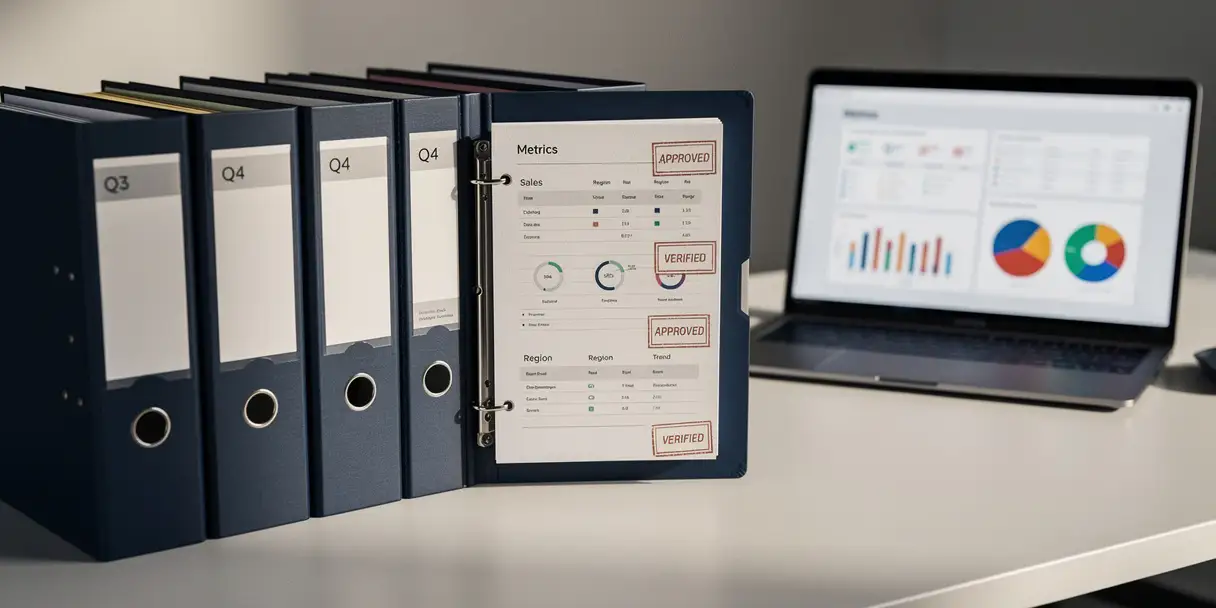
Managing business intelligence content is more complex than most teams expect. You build dashboards, develop reports, connect data sources, and suddenly you have dozens of apps in different states, maintained by different people, and deployed to different environments. Without a clear structure, things break, versions get lost, and business users lose trust in the data they see. That is where BI governance comes in.
This article walks through the most common questions about governing BI content—from what it actually means to how you can set up a controlled, scalable process across platforms like Qlik, Power BI, and SAP BusinessObjects.
What does it mean to govern BI content?
Governing BI content means applying structured control over how business intelligence assets—such as reports, dashboards, semantic models, and data pipelines—are created, changed, tested, approved, and published. It defines who can do what, when, and under which conditions, so your BI environment stays reliable, consistent, and trustworthy.
In practice, BI content governance covers a wide range of activities. It includes tracking which version of a report is live in production, ensuring changes go through a review process before they reach business users, and making sure only tested and approved content gets deployed. It also covers access control, audit trails, and documentation of changes over time.
Without governance, BI teams often find themselves firefighting. A developer overwrites a working version of an app, a report gets published to production before testing is complete, or nobody knows why a dashboard suddenly shows different numbers. Governance prevents these situations by turning informal habits into repeatable, enforced processes.
Why is BI content governance so difficult to get right?
BI content governance is difficult because BI development does not fit neatly into traditional software development workflows. Reports and dashboards are often built quickly to answer business questions, which means governance steps get skipped in the rush. Teams grow, environments multiply, and before long there is no clear process for what happens between development and production.
The collaboration problem
When multiple developers work on the same app or report, things get messy fast. Without version control, two people can overwrite each other’s work without realizing it. In platforms like QlikView or SAP BusinessObjects, working on shared universes or documents without a proper system almost guarantees that changes get lost. The more people involved, the higher the risk.
The deployment problem
Deploying BI content manually is time-consuming and error-prone. Moving an app from a development server to a test environment and then to production involves many steps. Each step is an opportunity for something to go wrong. Teams that rely on manual copying, file transfers, or undocumented processes regularly face failed deployments, inconsistent environments, and frustrated business users.
The compliance problem
For organizations in regulated industries, such as healthcare or finance, governance is not optional. Frameworks like HIPAA and Sarbanes-Oxley require documented change management, audit trails, and controlled access to sensitive data. Meeting these requirements with informal processes is nearly impossible, and the consequences of getting it wrong are serious.
What are the key components of a BI governance framework?
A solid BI governance framework consists of five core components: version control, change management, access control, deployment automation, and audit logging. Together, these components give your team visibility into what is changing, control over how changes are applied, and accountability for every action taken in your BI environment.
- Version control: Every change to a report, app, or data model is saved as a new version. You can compare versions, see what changed, and restore a previous version when something goes wrong.
- Change management: Changes follow a defined path from development through testing to production. Mandatory review and approval steps prevent untested content from reaching business users.
- Access control: Roles and permissions determine who can view, edit, approve, or deploy content. Developers do not have direct access to production environments.
- Deployment automation: Repeatable, scripted deployment processes replace manual steps. This reduces errors, saves time, and makes deployments consistent across environments.
- Audit logging: Every action, from saving a new version to publishing to production, is logged with a timestamp and a user identifier. This creates the audit trail that compliance frameworks require.
These components work best when they are integrated into a single platform rather than patched together from separate tools. A fragmented approach creates gaps where governance breaks down.
How does BI governance differ across Qlik, Power BI, and SAP BusinessObjects?
BI governance differs across platforms because each platform has different built-in capabilities, different deployment models, and different content types. What works for Qlik Sense does not automatically translate to Power BI or SAP BusinessObjects, and each platform requires a tailored governance approach.
Qlik Sense and Qlik Cloud
Qlik Sense and Qlik Cloud support a multi-tenant architecture, which makes environment separation between development, test, and production relatively straightforward. However, native version control and deployment automation in Qlik are limited. Teams often need to export and import apps between environments manually, which introduces risk. Qlik governance also needs to account for extensions, mashups, and reload tasks, not just the apps themselves.
Power BI
Microsoft provides basic versioning through Power BI Premium and deployment pipelines, but enterprise-grade governance requires more. Semantic models and reports need structured change management, mandatory approval steps, and isolation of the production environment. Without these controls, it is easy for untested changes to affect business users who rely on the data every day.
SAP BusinessObjects
SAP BusinessObjects governance is particularly challenging because universes and documents are often shared across multiple developers. A change to a shared universe can have far-reaching consequences across many reports. Without version control and a controlled deployment process, moving universes between servers is slow, risky, and often results in lost work. Governance here means treating universes as managed assets with clear ownership and change history.
How do you set up a controlled BI deployment process?
Setting up a controlled BI deployment process starts with defining clear environment stages—typically development, test, and production—and enforcing that content moves forward through those stages only when it meets defined criteria. Every promotion from one stage to the next should be gated by a review or approval step.
Here is a practical approach to building that process:
- Define your environments: Separate development, test, and production clearly. Developers work in development, testers validate in test, and only approved content reaches production.
- Enable version control: Before anything moves between environments, it should be saved as a version. This gives you a rollback point and a clear history of what changed.
- Enforce mandatory tasks: Define which steps must be completed before a deployment can proceed. This might include a code review, sign-off from a tester, or approval of a change request.
- Automate the deployment: Once approval is granted, the actual deployment should be automated. This removes manual steps and makes the process repeatable and consistent.
- Log everything: Every deployment, approval, and rollback should be recorded automatically. This gives you the audit trail you need for compliance and for diagnosing issues.
The goal is to make deployments predictable. Business users should never experience disruption because a developer pushed an untested change directly to production. A controlled process protects them, and it protects your team from the stress of emergency rollbacks.
What tools help you govern BI content at scale?
Tools that help you govern BI content at scale combine version control, deployment automation, and change management in a single integrated platform. Standalone version control tools or manual approval workflows can work at small scale, but they break down as your BI environment grows in complexity.
When evaluating tools for BI content management and governance at scale, look for the following capabilities:
- Integrated version control that works natively with your BI platform
- Automated deployment pipelines with configurable approval steps
- Support for multiple environments and multi-tenant setups
- Change tracking that shows exactly what changed between versions
- Data lineage to understand the impact of changes across connected assets
- Audit logging that satisfies compliance requirements
- Support for multiple BI platforms from a single implementation
Application lifecycle management tools designed specifically for BI, rather than general software development tools adapted for BI, tend to handle the nuances of BI content far better. They understand the difference between a semantic model and a report, how reload tasks relate to apps, and how to handle platform-specific deployment requirements.
How PlatformManager helps you govern BI content
We built PlatformManager specifically to solve the governance and deployment challenges that BI teams face every day. Whether you work with Qlik Sense, Qlik Cloud, QlikView, Power BI, or SAP BusinessObjects, our application lifecycle management solution gives you the tools to govern your BI content with confidence.
Here is what you get with PlatformManager:
- Version control for all your BI assets, with two-click restore when something goes wrong
- Deployment automation that eliminates manual steps and cuts deployment time significantly
- Structured change management with mandatory approval tasks before content reaches production
- Change tracking that lets testers focus only on what changed, shortening test cycles
- Data lineage to visualize the impact of changes across connected datasets and apps
- Audit logging that supports compliance with regulations like HIPAA and Sarbanes-Oxley
- Multi-platform support from a single installation, with no additional user costs per platform
Trusted by more than 200 companies and supported by more than 30 Qlik partners, PlatformManager is the practical choice for teams that want to stop firefighting and start governing their BI environment properly. The best way to see what it can do for your team is to start a free three-day trial with full access to our cloud server, or to book a live demo where we walk you through the solution in 50 minutes.